
With your Puntos Facturillo you swap points for rewards from local businesses. Here is how to browse the catalog, redeem a reward, and show the coupon at the business.
Before you start
- check_circleBe enrolled in Puntos Facturillo.
- check_circleHave enough points for the reward's cost.
Browse and redeem
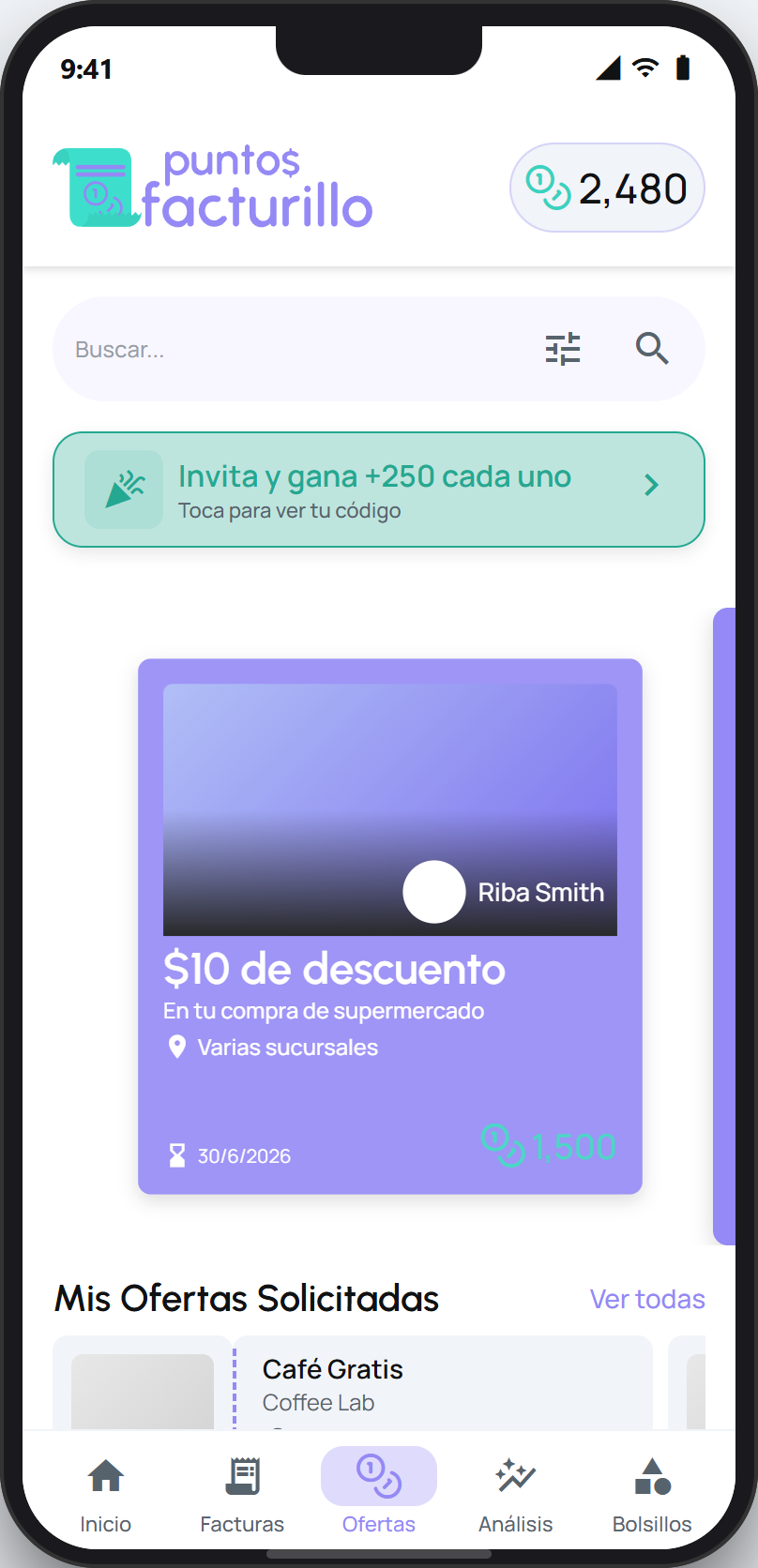
Open the Puntos tab. There you see your balance and the catalog of rewards from local businesses, each with its cost in points.
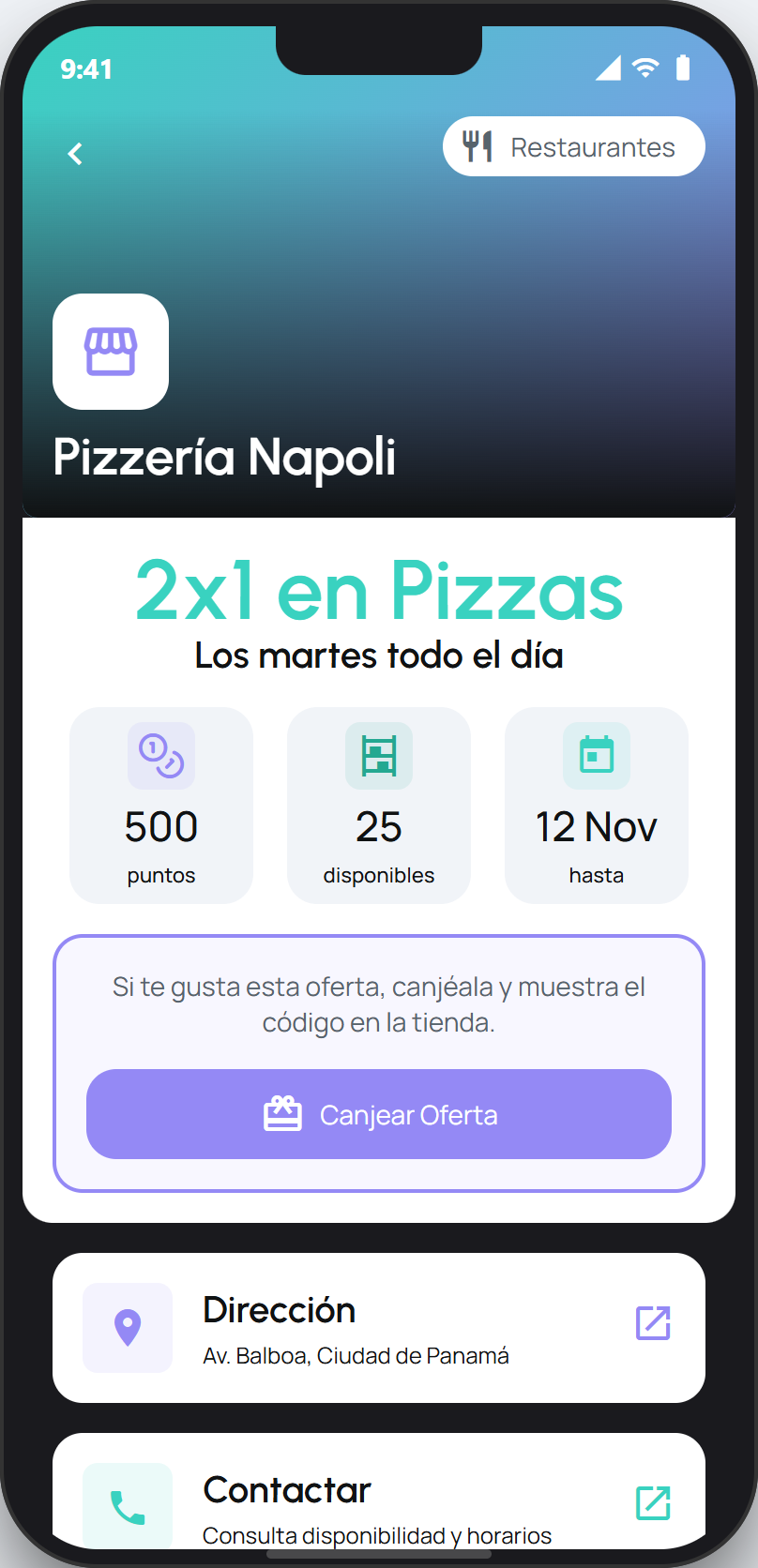
Tap a reward to see its detail: how many points it costs, how many are still available, and until when you can redeem it.
Tap Canjear Oferta. The points are deducted from your balance and you get a coupon to use at the business.
Show the coupon at the business
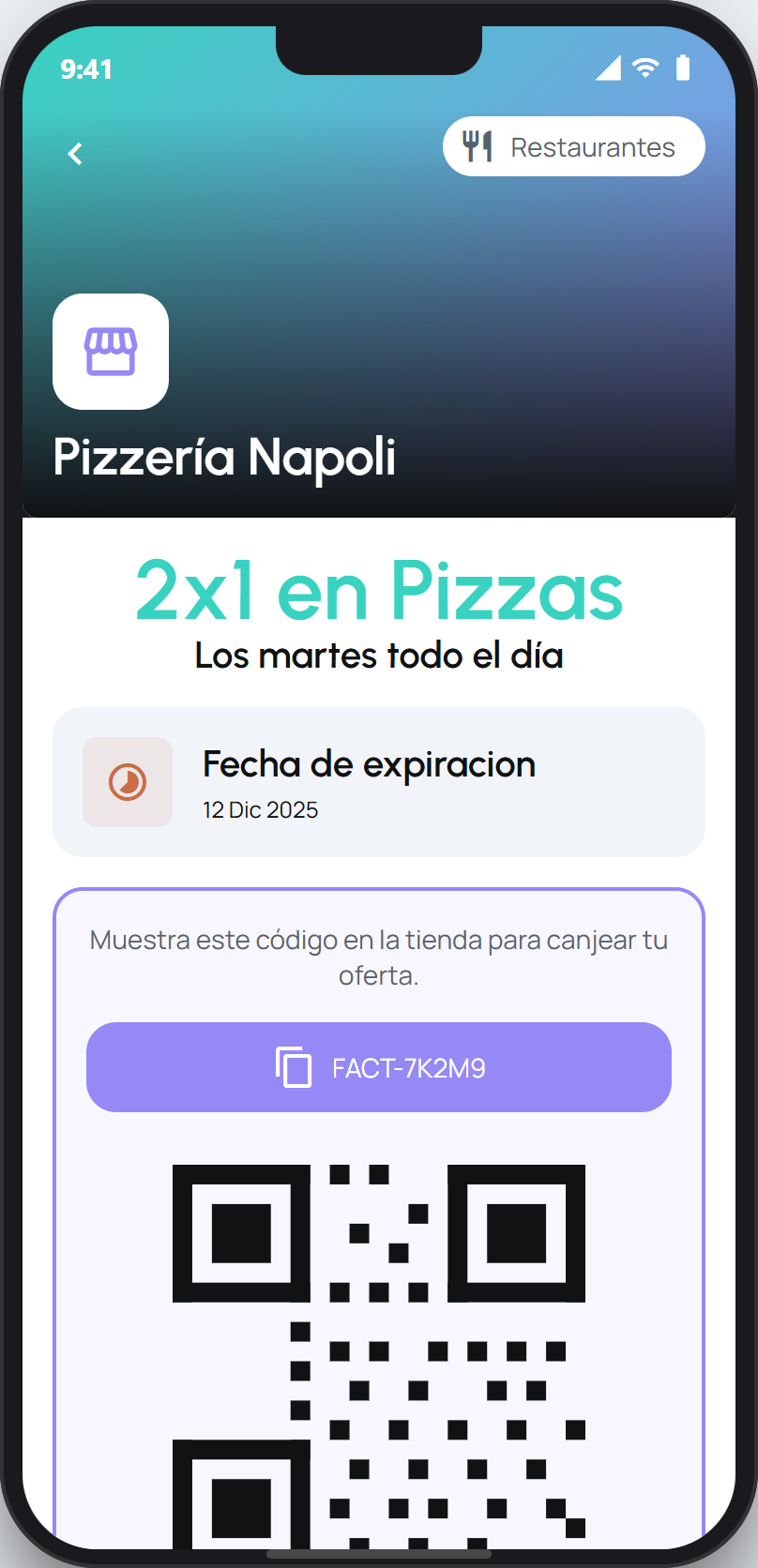
When you are at the business, open the coupon from the app. You will see the reward's code (for example, FACT-7K2M9) and its scannable code. Show it to the person helping you so they can apply the benefit.
Find your redeemed rewards
From the Puntos tab, under Mis Ofertas Solicitadas, tap Ver todas to see your rewards in three groups:
Active: the ones you redeemed and can still use.
Expired: the ones you redeemed but let pass their date without using.
Redeemed: the ones you already used.
Tip
Check the expiry date of your Active rewards and use them in time. Once redeemed, a reward deducts your points even if you do not end up using it at the business.
Next step
How Puntos Facturillo work ›If you do not know how many points you have, your AI assistant can check your balance for you.