
Puntos Facturillo is optional. If you would rather not take part any more, you can leave the programme from your profile in a few taps. You do not lose the points you already earned, and you can come back whenever you like.
Before you start
- The option only appears if you are enrolled in Puntos Facturillo.
- In a shared account (Familia or Negocio), only whoever manages it can join or leave the programme.
- Leaving the programme does not delete your account or your receipts.
Step by step
On the main screen, tap the round button at the top right. It keeps flipping between your profile photo and a three-dot icon, and either face opens your profile.
In the profile, tap Privacy.
Tap Leave Puntos Facturillo.
A confirmation screen opens, titled Leaving already?, summarising what happens. To leave, tap Yes, deactivate. If you change your mind, tap I'll stay and nothing changes.
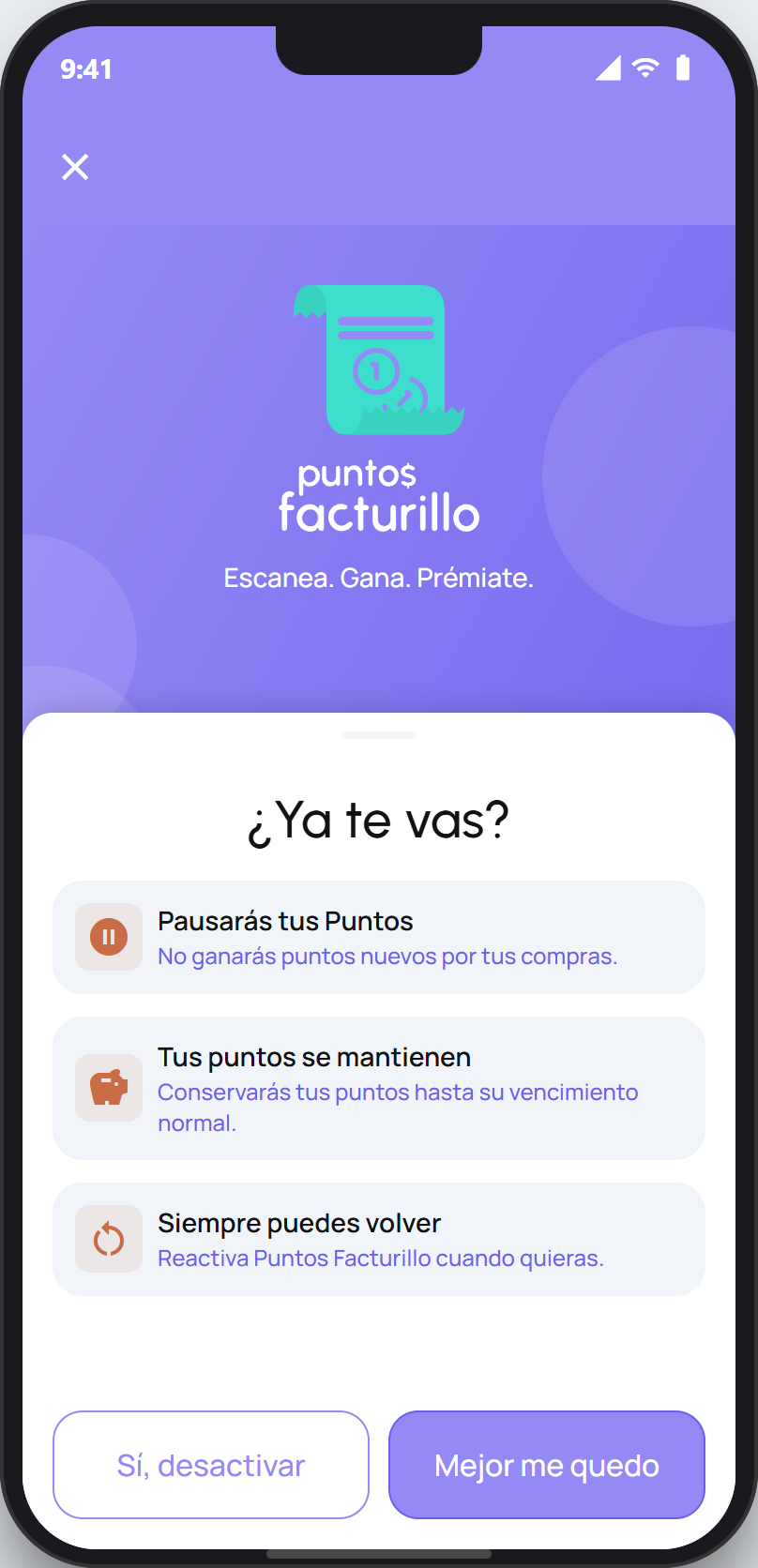
Watch the buttons
On this screen the highlighted button is I'll stay, the one that keeps you in the programme. The one that takes you out is Yes, deactivate, the secondary one.
What happens when you leave
You pause your points. You stop earning new points on your purchases.
Your points stay. You keep the points you already have until they normally expire.
You can always come back. Turn Puntos Facturillo back on whenever you want, from the same place.
It is a pause, not a wipe. Your facturillo account, your receipts and your spending analysis stay exactly as they were, because they are separate from the points programme.
It is not the same as deleting your account
Leaving Puntos Facturillo only switches off the loyalty programme. If what you want is to leave facturillo entirely and erase your data, that is a different process.
Next step
Delete your account and your data ›