
When you redeem a reward with your Puntos Facturillo, it is saved in one of three groups based on its state. If yours shows under Expired or Redeemed, here is what each one means and why it landed there.
What each group means
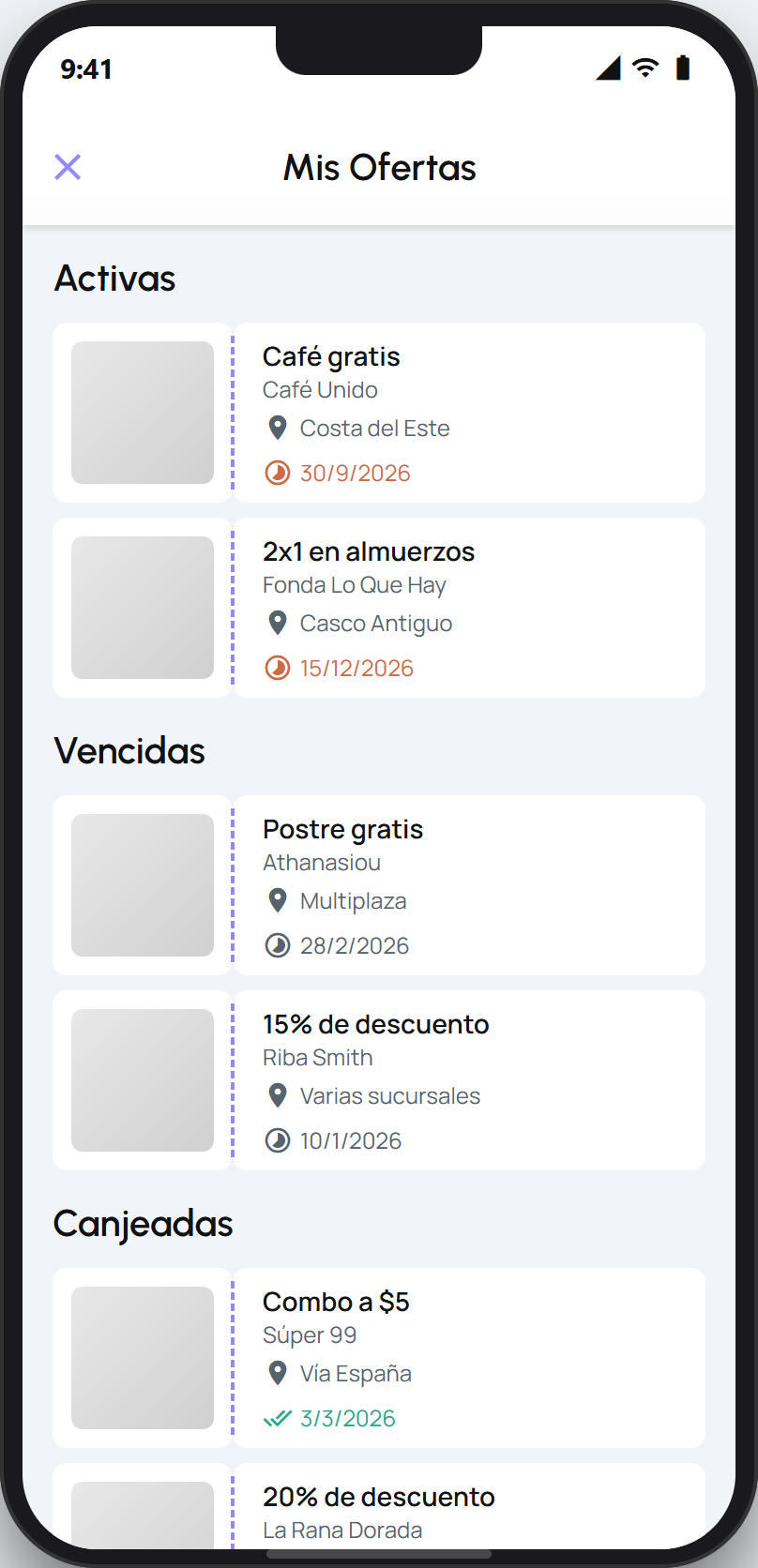
From the Puntos tab, under Mis Ofertas Solicitadas, tap Ver todas to see your rewards in three groups:
Active: the ones you redeemed and can still use.
Expired: the ones you redeemed but let pass their date without using.
Redeemed: the ones you already used.
Why your reward landed there
It shows as expired: you redeemed it, but its use-by date passed before you used it. Redeeming deducted your points right then, so an expired reward already cost you the points and they are not refunded.
It shows as redeemed: you already used it at the business. A used reward does not go back to Active.
It is not the same as your points expiring
An expired reward is a coupon you redeemed whose use-by date passed. That is different from your Puntos Facturillo expiring: your points expire separately, after 12 months. An expired coupon does not affect the rest of your points balance.
Tip
Check the expiry date of your Active rewards and use them in time. Since redeeming deducts your points right away, letting the date pass means losing the benefit without getting the points back.
If you do not know how many points you have, your AI assistant can check your balance for you.