
If you cannot get into the facturillo portal, find what you see on the screen below. Most cases are solved by opening the access link in the right browser or generating a new code.
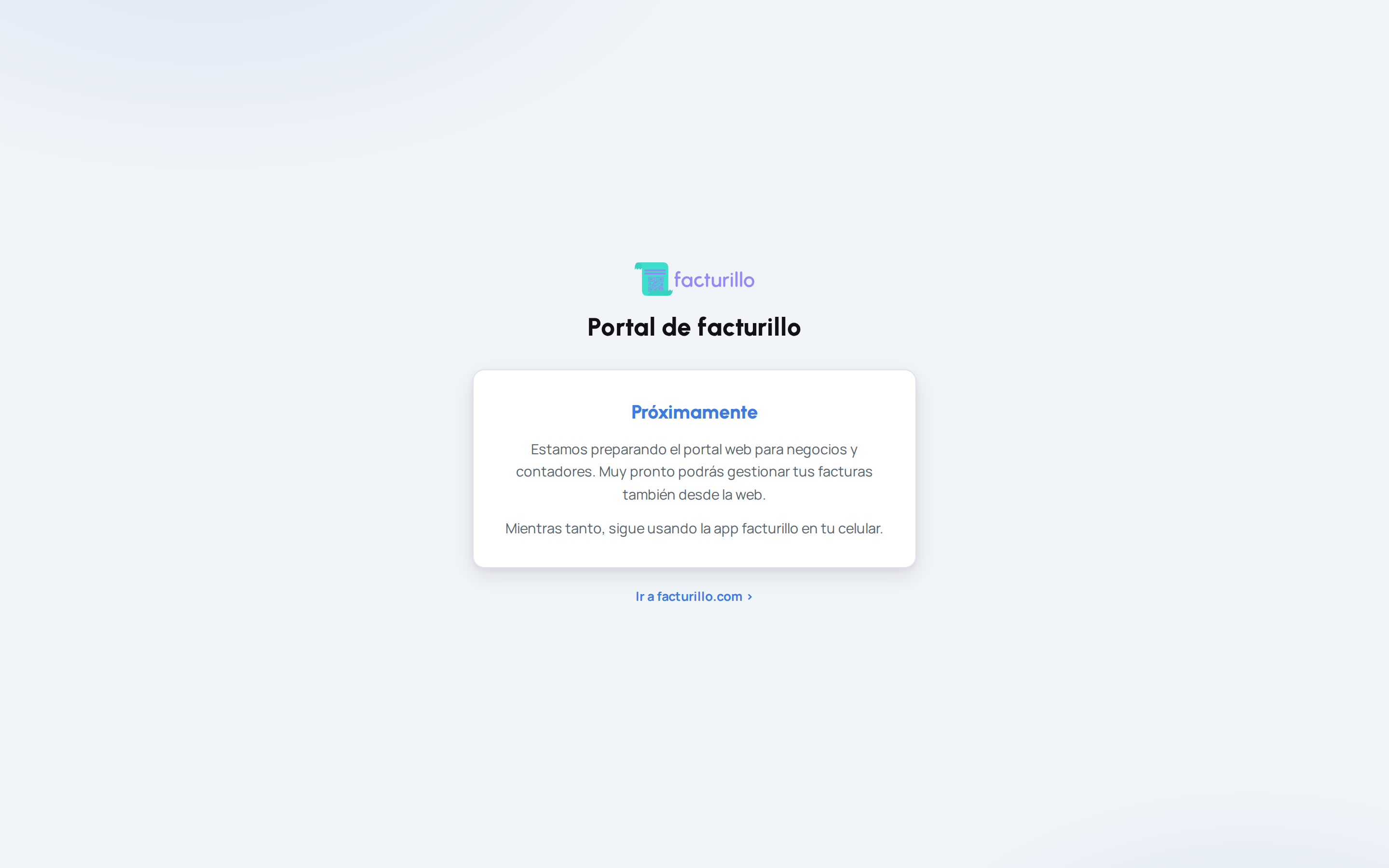
I see the «Próximamente» screen
The screen reads Próximamente (Coming soon) and «Mientras tanto, sigue usando la app facturillo en tu celular.» (meanwhile, keep using the facturillo app on your phone). It shows up for one of two reasons:
This browser does not have the access. The access is stored in the browser where you opened the link we sent you. Open that link again here, in this same browser and outside a private window. It happens when you change computer or browser, or after clearing the browser's data.
Your account does not have the access enabled. If you were inside the portal and suddenly see Próximamente, the portal signed you out because your account is not enabled. Message us.
If you do not have the access link or cannot find it, message us with the «Talk to support» button on this page and we send it to you.
I approved on my phone and the portal says «Algo salió mal»
If you scanned the code, tapped Aprobar (Approve) and the computer shows «Algo salió mal. Intenta de nuevo.» (something went wrong, try again), follow these steps.
Check that the phone is on your facturillo account, the same one you want to sign in to the portal with. If you have more than one, tap the facturillo logo at the top left of the app's home screen to open the account selector, as Switch between your accounts › explains.
Tap Generar nuevo código (Generate a new code) and try once more.
If the message repeats, message us so we can check your access.
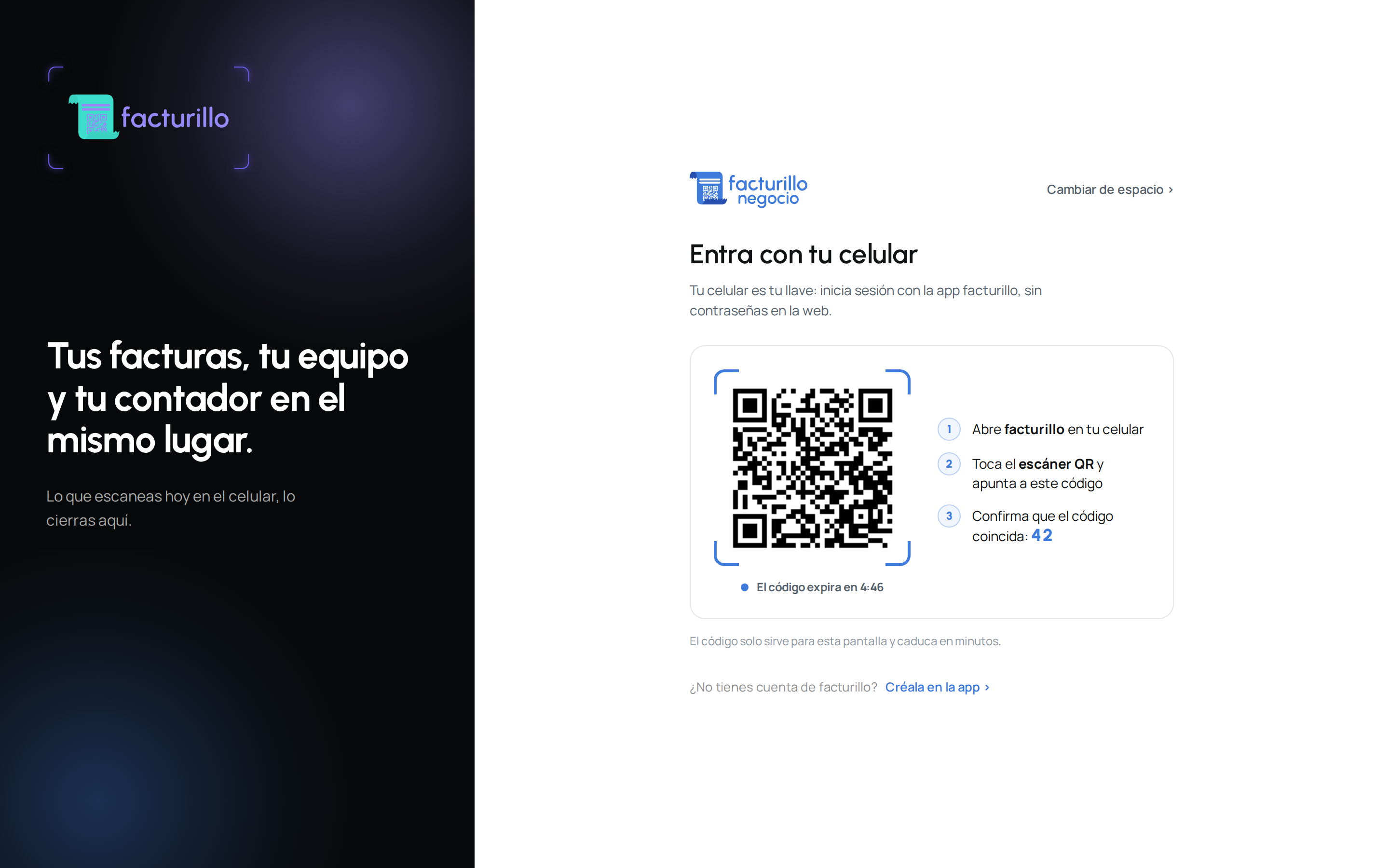
The code expired or no longer works
- «El código expiró.» (the code expired). The code expires in minutes. Tap Generar nuevo código and scan it before the countdown ends.
- «El acceso fue rechazado desde la app.» (the access was rejected from the app). Rechazar (Reject) was tapped on the phone. Generate a new code and this time tap Aprobar.
- «Esta sesión ya no es válida.» (this session is no longer valid). That code was already used or expired. Generate a new one.
My session was closed
When a session ends, the portal tells you why and offers Generar nuevo código to come back in by scanning with the app:
- «Tu sesión se cerró desde tu teléfono.» (your session was closed from your phone). Someone closed it in the app, in Privacidad › Sesiones del portal.
- «Tu sesión expiró por inactividad.» (your session expired after inactivity). Some time passed without using the portal.
- «Cerraste la sesión en otra pestaña.» (you signed out in another tab). You left the portal in another tab of the same browser.
- «Se alcanzó el límite de sesiones abiertas y esta se cerró.» (the open-session limit was reached and this one was closed). Your account had too many open sessions. Close in the app the ones of browsers you no longer use.
Other messages
- «No pudimos verificar tu acceso. Revisa tu conexión.» (we could not verify your access, check your connection). Check your internet and tap Reintentar (Retry).
- «El portal estará disponible próximamente.» (the portal will be available soon). Sign-in is not available right now. Try later, and if it stays the same, message us.
- «Tu cuenta de colaborador funciona desde la app móvil de facturillo.» (your collaborator account works from the facturillo mobile app). Collaborators add their invoices from the app, and the portal is for the people who run the business.